
Township App Guide: Build, Harvest, and Relax
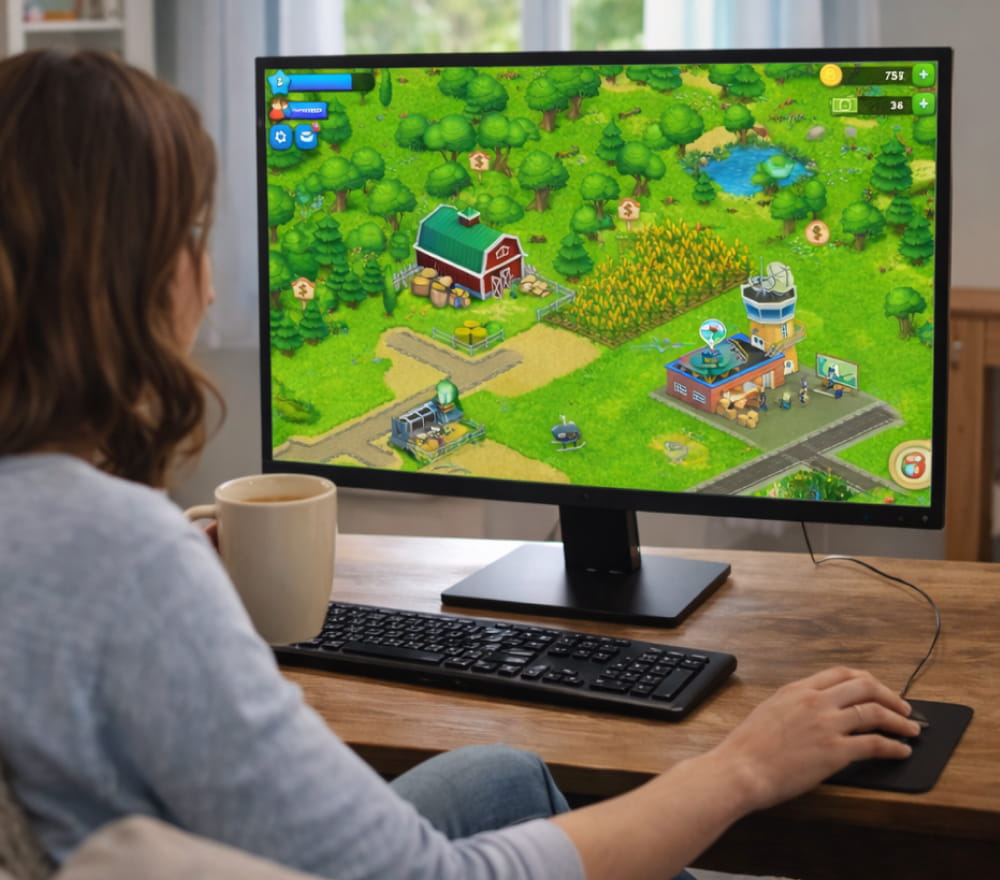
Play Township Game on Windows PC
Download NowCity-building feels most rewarding when progress is steady, goals are clear, and the world stays charming even after weeks of play. For many players, the Township app becomes a daily routine that mixes farming, production, and town design without feeling stressful.
What You’ll Do in Township Game
You start with a small plot and quickly unlock crops, factories, and community buildings, all tied together by simple supply-and-demand loops. As your town grows, you’ll balance short-term needs (like bread and animal feed) with longer projects (like expanding land and upgrading trains).
- Farm: Plant crops, raise animals, and stock basic ingredients.
- Produce: Run factories to craft goods that take different times to complete.
- Trade: Fulfill helicopter orders, train shipments, and plane crates for rewards.
- Decorate: Use parks, roads, and themed items to personalize your layout.
“A well-organized town is easier to manage than a fast-growing one build storage and spacing into your plan early.”
Getting Started: Install, Sign In, and Save Progress
Before you dive in, check storage space, update your operating system, and connect to stable Wi-Fi for smoother downloads. When you’re ready to install, the Township game app typically guides you through a short tutorial that teaches harvesting, production timing, and order completion.
Quick Setup Checklist
- Update your device to the latest supported version.
- Enable cloud saving (where available) so you can keep progress after reinstalling.
- Allow notifications only if you like reminders for finished production.
- Start the tutorial and complete the first order chain for a clean foundation.
To avoid interruptions, place the first factories near barns and fields so you spend less time scrolling around the map. If you’re looking for the safest way to install, a trusted store-based Township app download is usually more reliable than random mirrors.
Core Mechanics That Make Progress Feel Smooth
Most success comes from timing and storage management rather than speed-clicking. Keep your barn from filling up by producing in small batches and shipping items as soon as orders appear.
Beginner-Friendly Priorities
- Upgrade barn capacity whenever you can.
- Keep a small reserve of staples (wheat, eggs, milk, sugar) for fast orders.
- Use longer production timers overnight, and shorter timers during play sessions.
- Expand land gradually so your town stays navigable.
When you want to reinstall or switch devices, a careful Township game app download approach paired with cloud sync helps prevent progress loss.
Playing Comfortably: Mobile, Desktop, and Larger Screens
Some players prefer a bigger display for layout planning, especially when placing roads, decorations, and community buildings. With the right setup, playing the Township app on laptop can make long decorating sessions feel less cramped than a phone screen. If you move between devices, focus on consistent account sign-in and verify your save is current before switching platforms. For anyone who prefers touch controls, the Township mobile app remains the most straightforward way to play during short breaks.
Free Option and What It Usually Means
You can make steady progress without spending, especially if you prioritize storage upgrades and timed production cycles. In most regions, the Township game app for free model means you can play fully, while optional purchases mainly speed up timers or add convenience. Try setting personal goals like finishing a train set each day so progress stays satisfying without feeling like a grind. For many players, keeping the experience simple with a Township app for free playstyle is easiest when you avoid impulsive timer skips.
Features at a Glance
Different features matter depending on whether you love decorating, optimizing production, or completing events. Because the Township application blends multiple genres, it helps to decide what you enjoy most and build your routine around that.
| Area | What to focus on | Simple tip |
|---|---|---|
| Production | Factories, ingredients, timers | Queue long items before you log off |
| Trade | Train, plane, helicopter orders | Ship quick orders to free barn space |
| Town design | Roads, zoning, decorations | Leave paths for future buildings |
| Events | Limited-time challenges and rewards | Pick one event goal and ignore the rest |
Troubleshooting and Quality-of-Life Tips
Small technical habits can prevent most common issues, like crashes, lag, or failed downloads.
- Restart the device if loading stalls after an update.
- Clear background apps to reduce memory pressure during events.
- Check storage space before installing large patches.
- Use stable Wi-Fi when syncing saves across devices.
When the game feels slow, reduce on-screen clutter by grouping factories and moving decorations into themed districts. If you plan to install again later, keep screenshots of your account details and town layout so rebuilding settings is faster.
Mini Routine for Consistent Progress
- Harvest and replant crops first.
- Queue factory items based on your current orders.
- Send trains and start plane crates if available.
- Decorate or reorganize for a few minutes to keep the town tidy.
With a balanced routine, you’ll steadily expand your town while keeping the experience relaxing, creative, and easy to return to day after day.